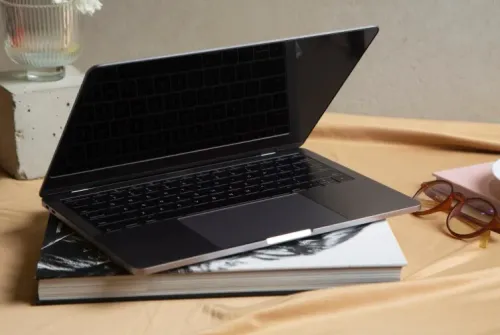

A refurbished laptop can reduce the cost and time required to equip a small office, but only when its specification, battery, software support, and service terms match the employee’s work. You will be able to assign the right device to each role, inspect it before acceptance, compare alternatives, and define the support controls that protect your budget after purchase.
Key takeaways
- Choose business-grade laptops with SSD storage and 8GB or 16GB RAM.
- Request battery health, testing results, serial numbers, and warranty terms.
- Compare refurbished laptops with new devices, desktops, thin clients, and leasing.
- Include setup, security, backups, maintenance, and user support in the purchase plan.
Where refurbished laptops create the most value in a small office
Reception, billing, administration, email, web applications, accounting, and remote-desktop users usually gain the most from refurbished laptops for small offices. Their workloads are predictable, so a business-grade laptop with an SSD, 8GB or 16GB RAM, a working webcam, and Windows 11 compatibility provides useful performance without paying for high-end hardware.
| Role | Why refurbished fits | How deployment effort falls |
|---|---|---|
| Reception | Browser, email, visitor records, video calls | Standard model, dock, and spare charger simplify replacement |
| Billing and administration | Accounting, documents, spreadsheets, office applications | One tested image reduces application and driver setup |
| Field sales | CRM, presentations, email, video calls | A common charger and replacement unit reduce downtime |
| Management | Email, dashboards, approvals, remote access | Existing security settings and docking support quick handover |
The saving comes from repetition, not just the purchase price. Standardise on one or two models, keep spare chargers and at least one tested replacement, and reuse the same setup process across employees.
Before ordering, add RAM or SSD upgrades, battery replacement, Windows licensing, warranty extension, delivery, data migration, setup, and eventual disposal to the acquisition cost. Check for a compatible 64-bit processor, 4GB minimum RAM, 64GB minimum storage, UEFI Secure Boot capability, and TPM 2.0; Windows 10 support ended on October 14, 2025.
Avoid creating a mixed fleet whose different docks, drivers, and chargers consume the saving in support time. Refurbished is a weaker choice for sustained CAD, video production, local AI, heavy virtual machines, or long unplugged operation.
The specification to put on every refurbished-laptop quotation
A quotation must lock down the machine’s usable life, not merely its model name. For small office refurbished laptops, ask an IT sales and services in Pune provider to state the exact model, processor generation, RAM, SSD capacity, screen condition, battery health, operating-system licence, warranty, and return procedure.
Match the specification to the employee’s workload:
| Role | Minimum specification | Check before approval |
|---|---|---|
| Reception or billing | 8GB RAM, 256GB SSD, Core i5 or Ryzen 5, 720p webcam | Confirm ports for scanner, printer, and external display |
| Administration | 8GB RAM, 256GB SSD, Wi-Fi 5 or newer | Test video meetings and document multitasking |
| Field sales | 8GB RAM, 256GB SSD, bright 13–14-inch display | Require a battery-health report and USB-C charging |
| Development or design | 16GB RAM, 512GB SSD, newer Core i5/Ryzen 5 or better | Check software-specific CPU, graphics, and memory requirements |
Include these quotation lines:
- Windows 11 compatibility: a supported 64-bit processor, TPM 2.0, UEFI Secure Boot capability, at least 4GB RAM, and 64GB storage. Windows 10 support ended on October 14, 2025.
- SSD, not a mechanical hard drive, unless the slower drive is an intentional cost trade-off.
- Battery maximum capacity or health percentage, with replacement priced separately.
- Keyboard layout, webcam resolution, Wi-Fi standard, included charger, cosmetic grade, and screen defects.
- Warranty duration, accidental-damage exclusions, response time, repair location, and return process.
- Serial number and asset-tag fields, so the delivered laptop matches the approved quotation.
How to inspect condition, testing evidence, and warranty coverage
A refurbished laptop is ready for acceptance only when its condition matches the quotation and its test record identifies the exact machine. Ask for the serial number, asset tag, cosmetic grade, battery-health report, charger details, and operating-system licence before signing delivery.
1. Match the serial number on the chassis, BIOS screen, invoice, and test report. A mismatch breaks the warranty trail.
2. Inspect the display for bright spots, cracks, dead pixels, and uneven backlighting. Test every key, touchpad gesture, webcam, microphone, speaker, USB port, video output, Wi-Fi connection, and charger.
3. Check battery maximum capacity against the quoted threshold. A laptop that powers on can still deliver poor unplugged runtime, so request the battery report and price replacement separately.
4. Run the operating system, storage, memory, processor, thermal, and manufacturer hardware diagnostics. Require a dated checklist or report showing pass results, diagnostic-tool name, technician identity, and the laptop’s serial number; a verbal assurance is not testing evidence.
5. Confirm that documented data wiping was completed and that no previous user account, encryption key, or management lock remains. Ask for the wipe record or certificate linked to the serial number.
6. Read the warranty before acceptance. Confirm duration, parts covered, battery and charger exclusions, accidental-damage exclusions, return procedure, response time, repair or restoration target, onsite-versus-depot service, travel coverage, and loaner availability.
An IT sales and services in Pune provider should also give you a named escalation contact and retain serial-number records. Keep the invoice, test report, wipe record, and acceptance date together; without them, a later warranty dispute becomes your problem.
When refurbished beats new, desktops, thin clients, or leasing
Choose refurbished when the employee’s workload is predictable and mobility matters more than maximum performance. Refurbished laptops for small offices suit email, web applications, accounting, office documents, and remote-desktop access; they are a weak choice for sustained CAD, video production, local AI, heavy virtual machines, or specialist GPU drivers.
| Option | Full cost of ownership | Best fit | Main risk |
|---|---|---|---|
| Refurbished laptop | Purchase price, SSD or RAM upgrade, battery, Windows licence, warranty, setup, support, and disposal | Standard office work and mobile staff | Short battery life, mixed models, or Windows 11 incompatibility |
| New laptop | Higher acquisition cost but fewer early repairs and longer support life | Critical roles, demanding software, or long unplugged use | Paying for performance the role never uses |
| Desktop | Lower hardware cost plus monitor, UPS, replacement parts, and fixed-desk setup | Reception, billing, and permanent workstations | No practical mobility |
| Thin client | Device, monitor, network, server or cloud subscription, and administration | Centrally managed remote-desktop environments | Useless during network or service outages |
| Lease | Monthly payments, possible setup and return charges, and contract obligations | Predictable refresh cycles and limited capital | Higher total payment and less control over retired equipment |
Calculate the full cost of ownership over three years, not the invoice total. Add delivery, data migration, deployment time, technician support, charger and dock compatibility, and secure disposal; a cheap mixed fleet can cost more when every model needs different drivers and parts.
Reject a low-cost device that lacks TPM 2.0, UEFI Secure Boot capability, a compatible 64-bit processor, or 4 GB RAM for Windows 11. Keep purchase and disposal records, then send retired equipment through registered or authorised recyclers rather than an undocumented informal channel.
Turn a laptop purchase into a controlled IT service
A supplier should give you more than a laptop and an invoice. Require a written handover and support process that follows each device from acceptance through retirement. This is the difference between small office computer supply in Pune and usable business infrastructure.
- Record the asset tag, serial number, model, user, purchase date, Windows licence, charger, and warranty end date. Check Windows 11 compatibility, TPM 2.0, Secure Boot, encryption, updates, and a non-administrator user account before handover.
- Require an acceptance report covering the screen, keyboard, ports, webcam, battery health, SSD, Wi-Fi, and charger. Reject defects that were not listed on the quotation.
- Put backup outside the warranty. Require centrally managed storage or scheduled backups, then test restoration of a file, application settings, and authentication access; replacing a failed drive will not recover unsaved local data.
- Get business IT support in Pune terms in writing: service hours, response time, restoration target, onsite or depot repair, travel coverage, accidental-damage exclusions, battery and charger coverage, loaner availability, and a named escalation contact.
- Require a documented data wipe before reassignment or disposal, including the device serial number and wipe date. Keep purchase, repair, transfer, and disposal records.
- Send retired equipment only through a recycler or refurbisher authorised for the applicable stream under India’s E-Waste (Management) Rules, 2022, and retain the handover record.
LK COMPUTER & ELECTRONICS is one supplier you can ask to provide these controls as part of the quotation, rather than accepting a hardware-only price.
Related product
 | Computing Devices Get the best deals on laptops in Pune Explore our collection of new and refurbished laptops from top brands. View product → |
Frequently asked questions
Where do refurbished laptops create the most value in a small office?
They suit predictable workloads such as reception, billing, administration, email, web applications, accounting, and remote desktops. Choose business-grade models with an SSD, 8GB or 16GB RAM, a working webcam, and Windows 11 compatibility.
What specifications should appear on a refurbished-laptop quotation?
Ask the quotation to state the manufacturer and model, processor, RAM, SSD capacity, screen size, operating system, webcam and port availability, battery condition, cosmetic grade, serial number, included charger, warranty period, and service terms.
How do you inspect a refurbished laptop before accepting it?
Check the casing, hinges, screen, keyboard, touchpad, ports, webcam, microphone, speakers, charger, and battery report. Request evidence of storage health, memory testing, operating-system activation, Windows updates, and malware checks.
When does refurbished equipment beat new laptops, desktops, thin clients, or leasing?
Refurbished laptops fit predictable office work when portability and lower upfront cost matter. New laptops suit demanding workloads or long support horizons; desktops suit fixed desks and easier component replacement; thin clients suit centrally managed virtual desktops; leasing suits businesses that prefer scheduled replacement and predictable payments.
How can a laptop purchase become a controlled IT service?
Document asset IDs and users, apply standard configurations, enable encryption and multifactor authentication, install updates, set backup rules, record warranty contacts, and define response times for support, repairs, replacements, and offboarding.
Keywords