Opening a door without knowing who is outside creates an avoidable security risk. A standard doorbell provides an alert but does not allow occupants to see, speak with, or verify the visitor before granting access.
Video Door Phone Installation gives homeowners, apartment residents, offices, clinics, and commercial properties greater control over entry. Depending on the selected system, users may communicate with visitors, release an electronic lock, record activity, or receive alerts on a connected mobile device.
Identify the Entry Points That Need Monitoring
Begin by determining where visitors arrive and how access is currently managed. A single residence may need one outdoor unit and one indoor monitor, while a larger property may have several entry points.
Consider:
- Main entrance
- Pedestrian gate
- Reception area
- Service entrance
- Apartment lobby
- Delivery access point
- Internal restricted area
If more than one entrance requires coverage, confirm whether the indoor unit can connect to multiple door stations or cameras.
Wired or Wireless System?
Wired systems use physical cables between the outdoor unit, indoor monitor, power supply, and electronic lock. They can offer stable communication but require a suitable cable route.
Wireless or network-based models may reduce some cabling requirements and support mobile access. Their performance depends on Wi-Fi coverage, network stability, power availability, and device compatibility.
For newly constructed properties, planning cabling before finishing work can result in a cleaner installation. Existing homes and offices in Pune may need a site assessment to identify practical routes without unnecessary surface wiring.
Evaluate the Outdoor Unit
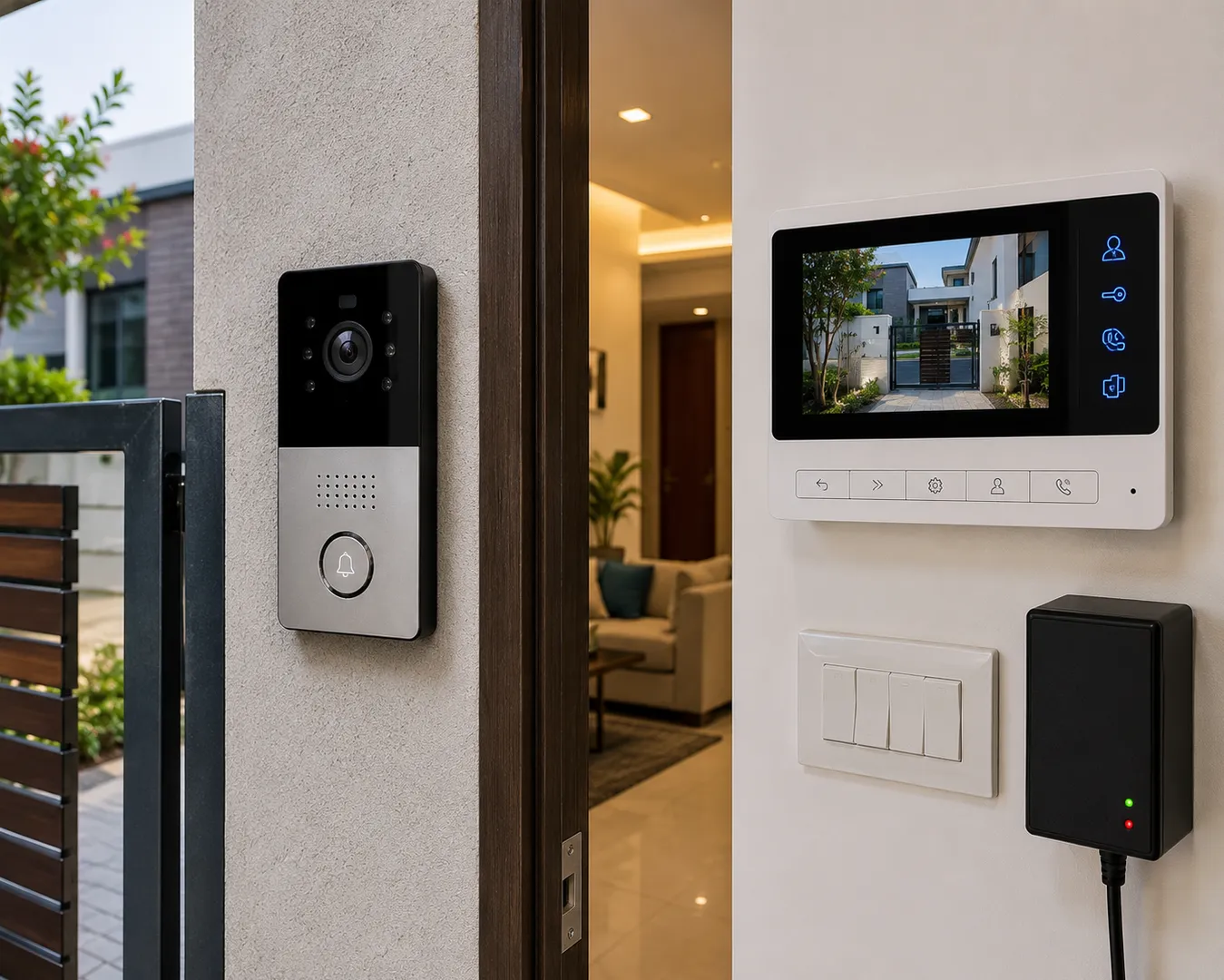
The outdoor unit must suit the location where it will be installed. A device placed near an exposed gate may need greater protection from rain, dust, heat, and direct sunlight than one installed inside a covered lobby.
Check the camera’s viewing angle, night visibility, microphone clarity, speaker volume, call button durability, and mounting position. The unit should capture a useful view of the visitor rather than only a wide image with limited facial detail.
Choose Useful Indoor Features
Indoor monitors differ in screen size, storage, controls, and connectivity. Depending on the property, useful features may include:
- Two-way audio communication
- Electronic lock release
- Image or video recording
- Multiple indoor monitors
- Mobile notifications
- Missed visitor records
- Integration with additional cameras
- Do-not-disturb settings
- Intercom between rooms or apartments
Select features according to daily use rather than paying for functions that occupants are unlikely to use.
Plan Electronic Lock Integration Carefully
If the system will release a door or gate, the lock, power supply, exit button, and safety requirements must be planned together. The correct locking arrangement depends on the door material, opening direction, usage frequency, and desired behaviour during a power failure.
Battery or UPS backup may be required if visitor communication and controlled access must continue during local power interruptions.
Review Privacy and User Access
Mobile-connected systems should use strong account passwords and updated applications. Access should be removed when residents, employees, or property managers change.
Users should also understand how recordings are stored, who can view them, and how long they remain available.
LK COMPUTER & ELECTRONICS provides site evaluation, product selection, installation, configuration, and user guidance for properties across Pune. Before finalising a system, arrange an entrance assessment to confirm camera placement, wiring feasibility, lock compatibility, and the features required by actual users.
Keywords